In short
- A base64 video cannot be cached on its own or lazy-loaded; on Conqr it was replaced by a live 3D figure.
- One WebGL renderer for the whole page: a single context no matter how many views there are.
- The engine spends 1.75 ms of JS per frame on desktop and 8.62 ms with a 4× slower CPU, within the 16.7 ms of a 60 fps frame.
- Lazy loading, pausing off-screen and in hidden tabs, capped DPR and adaptive quality.
- With prefers-reduced-motion or no WebGL, a still image with dimensions.
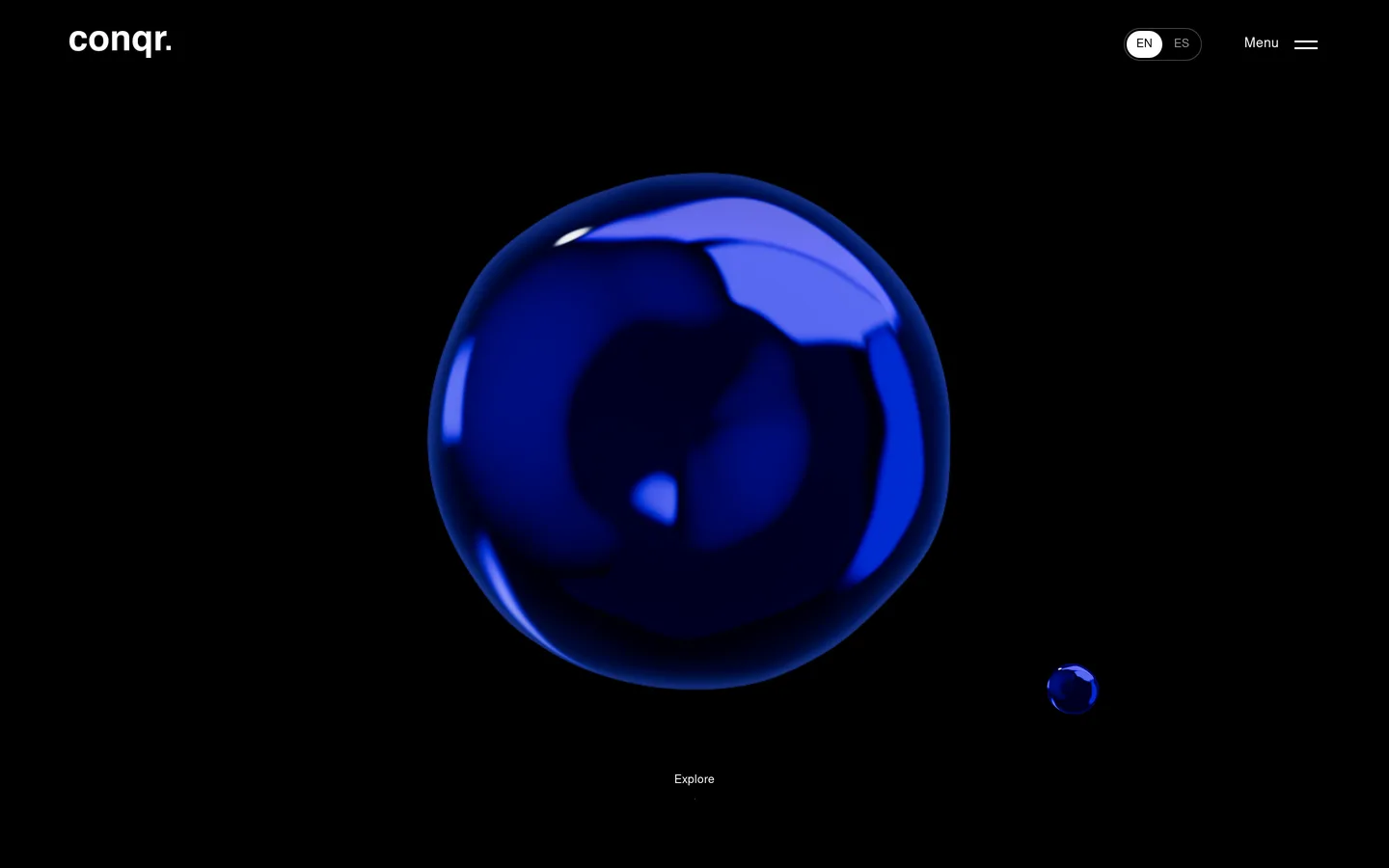
The chrome figure below is not a video. It bulges toward the cursor, bounces when you touch it, spins when you drag it and, with a double click, jumps to its next shape. On a phone it follows your finger. It is the 3D engine I wrote for the Conqr website, which went live on conqr.mx on October 30, 2026.
It used to be a 10-second video stuffed into a data file as base64. It looked amazing, but it reacted to no one, nobody could edit it and it weighed down the HTML. This article is about how I turned it into a living object without dragging the site down. It is for agency owners, marketing people and devs: the first half reads without code; the second half has short snippets you can copy.
One honest note before we start: the visual design belongs to Conqr's design team. My part was the development, the engine, the architecture and the launch, with Claude and Claude Code as AI copilots.
WebGL, Three.js and shaders, no jargon
Three words you will hear in any web 3D project:
- WebGL is the door the browser opens to the graphics card. According to MDN, it is a JavaScript API for rendering interactive 3D and 2D graphics in any compatible browser, without plugins. Think of it as the language the page uses to talk to the GPU.
- Three.js is a library that translates that language into something human: scenes, cameras, lights, materials. If WebGL is the car's engine, Three.js is the steering wheel and the pedals.
- Shaders are tiny programs that run on the GPU, thousands at a time. The vertex shader decides where each point of the shape goes; the fragment shader decides the color of each pixel. Picture a recipe that every pixel cooks in parallel.
The key idea: the GPU does the heavy lifting. The problem is usually everything around it: how many things you draw, at what resolution, and whether you keep drawing when nobody is looking.
Video, image or live engine?
Not everything deserves a 3D engine. Before you write a line, compare the three options:
| Image | Video | Live engine | |
|---|---|---|---|
| Weight | The lightest | Grows with duration and resolution | Code + library; does not grow with duration |
| Interaction | None | Play and pause | Full: cursor, click, finger, scroll |
| Sharpness | Fixed to its resolution | Fixed to its resolution, plus compression | Drawn at each screen's resolution |
| Performance | Almost free | Decoding costs, especially several at once | Up to you: it has to be designed |
| When it fits | Static content and fallback | Linear storytelling: a walkthrough, a demo | The brand's centerpiece, repeated and inviting play |
On Conqr the figure showed up in the hero, inside the letters of con·quer, in the menu, in the cursor and in every page hero. One video per appearance is a lot of decoding for something that does not even respond.
The base64 video lesson
The original concept kept the video, the images, the logos and the map as base64 inside data files. Base64 turns a file into text that travels inside the JavaScript. That way the media cannot be cached on its own or lazy-loaded.
Here is an awkward, honest fact: I cannot tell you how much that concept weighed. The data files never reached the server, and without them the page does not even start. The only thing I could verify is a floor: the media that did arrive separately would take up ~1 MB as base64, not counting the video. That is a minimum, not the total. Today, the conqr.mx home page transfers 627 KB in 70 requests, 3D figure included.
The rule that stuck: nothing loads as base64. Media ship as files, with their own cache and lazy loading.
Architecture: one renderer for the whole page
This was the decision that mattered most. The figure lives in many places at once, and each appearance needs its own spot in the DOM: the cursor sits above the menu, the drop sits behind the letters with mix-blend-mode: multiply, and there are masks and floating motion.
There were two obvious paths, and neither worked:
- One WebGL canvas per view. It multiplies WebGL contexts, and browsers limit how many active contexts a page can have.
- One fixed full-screen canvas. Everything ends up above or below the content. Goodbye, design layers.
The third way: a single WebGLRenderer on a canvas outside the DOM. On every frame, each view is drawn into its own rectangle and copied with drawImage into that view's 2D canvas. One WebGL context no matter how many views there are, and each view keeps its z-index, its mask and its blend mode.
A minimal sketch of the idea with Three.js (written for this article):
const renderer = new THREE.WebGLRenderer({ alpha: true });
renderer.setPixelRatio(1);      // each view already holds its real pixels
renderer.setScissorTest(true);
const shared = renderer.domElement; // never added to the DOM

function draw(views) {
  for (const v of views) {
    if (!v.onScreen) continue;
    const w = v.canvas.width, h = v.canvas.height;
    if (w > shared.width || h > shared.height) {
      // the canvas only grows: no memory allocated every frame
      renderer.setSize(Math.max(w, shared.width), Math.max(h, shared.height), false);
    }
    renderer.setViewport(0, 0, w, h);
    renderer.setScissor(0, 0, w, h);
    renderer.render(v.scene, v.camera);
    v.ctx.clearRect(0, 0, w, h);
    v.ctx.drawImage(shared, 0, shared.height - h, w, h, 0, 0, w, h);
  }
}
The setViewport, setScissor and setScissorTest methods are in the official WebGLRenderer docs. Around that, three rules: one requestAnimationFrame for everything, release everything on navigation, and components consume the engine, never duplicate it.
Make it feel alive: noise, material and physics
A spinning sphere excites nobody. What makes the figure feel alive is three layers:
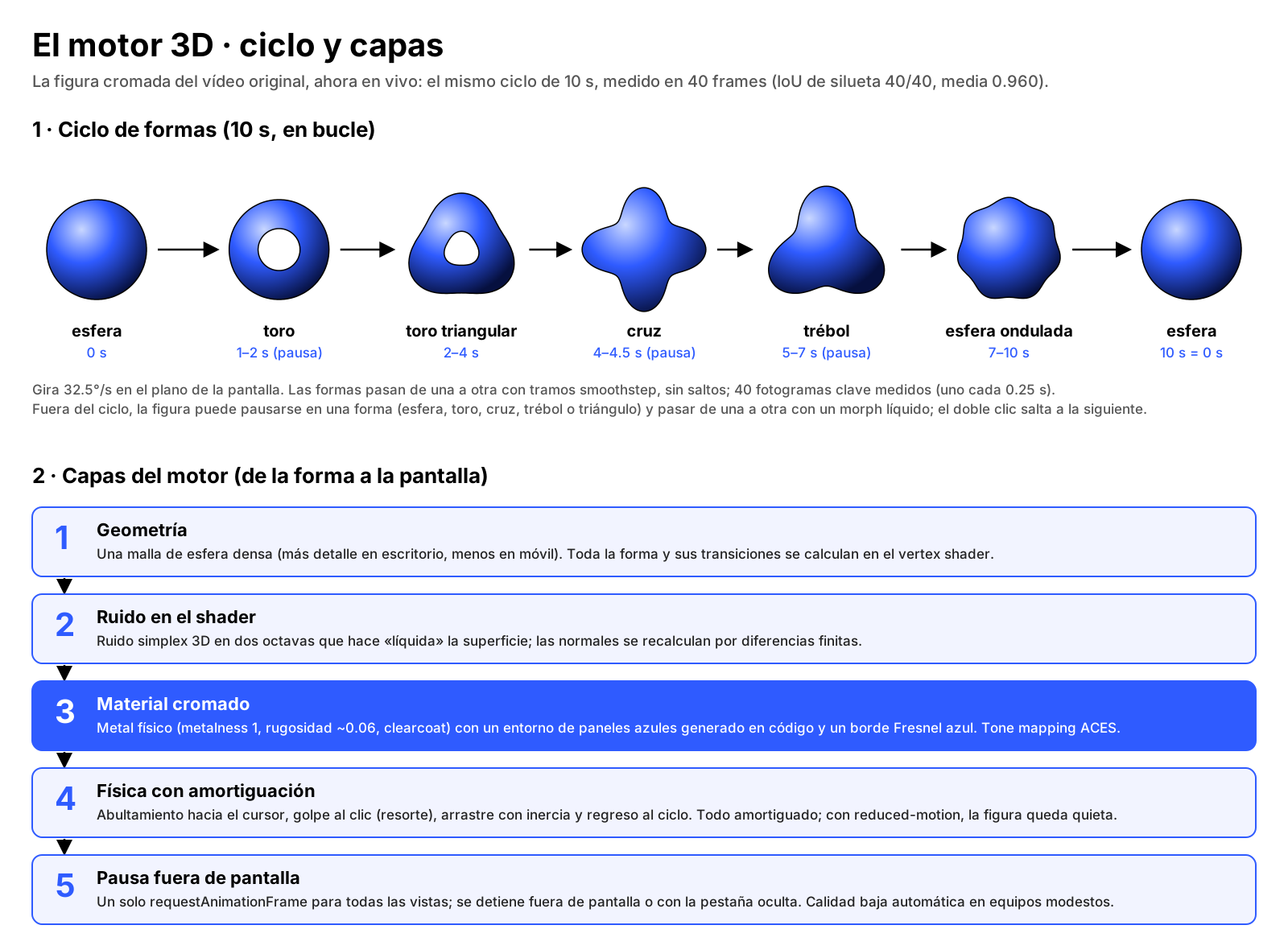
- Noise in the shape. The shape lives in the vertex shader, with two-octave simplex noise. Noise is a smooth, organic variation, like ocean swell: it never repeats exactly, but it never jumps either. Two octaves are two stacked waves, one big and slow, one small and fast.
- Physical material. Metal lit by a blue-panel environment generated in code. No HDR map is downloaded: the reflection is computed, not fetched.
- Damped physics. When you touch it, it bounces and settles, like a spring with a brake. Without damping, the figure would wobble forever; with too much, it would feel dead.
Let the team edit it: a widget with controls
An effect only the developer can touch goes stale in weeks. On Conqr the rule was: everything that can live in Elementor lives in Elementor, and whatever can't becomes a widget with controls, never loose code.
The chrome figure is an Elementor widget. The team drags it onto any page and, from the panel, picks its use, its size, whether it is playable and whether it has a halo. No file opened. Under the hood, the widget simply asks the shared engine to mount a new view; it never creates its own context.
The site's plugin ended up with 23 widgets and 14 behaviors. Out of 162 sections reviewed, not one was left uneditable. If you want to see how all of that came together, it is in the full Conqr case.
Performance: the 16.7 ms budget
At 60 frames per second, each frame gets 1000 ÷ 60 = 16.7 ms. Everything has to fit in there: your JavaScript, style, layout and paint. web.dev recommends keeping your work to about 10 ms, because the browser needs its share too. These are the techniques that pay off the most:
1. Lazy loading
Three.js has no business downloading before anyone reaches the figure. Load the module when the container is about to enter the screen, with IntersectionObserver:
const box = document.querySelector('#scene-3d');
const io = new IntersectionObserver(async ([e]) => {
  if (!e.isIntersecting) return;
  io.disconnect();
  const { start } = await import('/js/scene-3d.js');
  start(box);
}, { rootMargin: '200px' });
io.observe(box);
2. Pause off-screen and in hidden tabs
If nobody can see the figure, do not draw it. According to MDN, most browsers already pause requestAnimationFrame in background tabs, but that does nothing for a figure left at the top while you read the footer. Combine both signals, using the Page Visibility API:
let visible = false, raf = 0;

new IntersectionObserver(([e]) => {
  visible = e.isIntersecting;
  update();
}).observe(box);

document.addEventListener('visibilitychange', update);

function update() {
  const shouldRun = visible && !document.hidden;
  if (shouldRun && !raf) raf = requestAnimationFrame(loop);
  if (!shouldRun && raf) { cancelAnimationFrame(raf); raf = 0; }
}

function loop(t) {
  drawFrame(t);
  raf = requestAnimationFrame(loop);
}
3. Capped DPR
devicePixelRatio tells you how many physical pixels there are per CSS pixel. On a modern phone it can be 3, and rendering at DPR 3 means painting nine times as many pixels as at DPR 1. Put a ceiling on it:
renderer.setPixelRatio(Math.min(window.devicePixelRatio, 2));On Conqr I went further: on mobile the engine renders at DPR 1.
4. Adaptive quality
Not all devices are equal. The Conqr engine drops to a light quality mode on its own if it detects low fps or a modest device. The idea is simple: measure for a few seconds on start and, if the average falls short, lower the resolution or the level of detail. Better a slightly less crisp figure than a page that stutters.
5. How to actually measure it
Measure each frame's JavaScript with performance.now():
let total = 0, n = 0;
function drawFrame(t) {
  const t0 = performance.now();
  updatePhysics(t);
  render();
  total += performance.now() - t0;
  if (++n === 180) {
    console.log((total / n).toFixed(2), 'ms of JS per frame');
    total = n = 0;
  }
}
This measures what it costs the CPU to prepare and submit the frame, not how long the GPU takes to paint it. On Conqr I measured the same thing with the engine's own meter, using Playwright on the production home page with the cursor moving (median of 4 windows of 3 seconds):
| Scenario | JS per frame | Active views |
|---|---|---|
| Desktop 1440×900 | 1.75 ms | 5 |
| Desktop 1440×900, 4× slower CPU | 8.62 ms | 5 |
| Mobile 390×844, 4× slower CPU | 3.77 ms | 4 |
All of it fits in 16.7 ms, even with the CPU slowed down four times.
Accessibility: less motion and a still image
For some people, on-screen motion triggers dizziness or nausea. web.dev explains it well: the operating system lets users ask for less motion, and the page can read that with prefers-reduced-motion. Respect it before loading anything:
const lessMotion = matchMedia('(prefers-reduced-motion: reduce)').matches;
const hasWebGL = !!document.createElement('canvas').getContext('webgl2');

if (lessMotion || !hasWebGL) {
  box.innerHTML = '<img src="/img/figure.webp" alt="Chrome figure" width="800" height="800">';
} else {
  loadScene(box);
}
Two details. First, the still image should not be just any screenshot: on Conqr, when WebGL is missing, the page shows a still image rendered by the engine itself, so the fallback looks like the site. Second, give it width and height so it does not shift the layout when it appears.
Three real mistakes (so you don't repeat them)
1. Eyeballing it
I tuned the first versions of the shape cycle by eye, against the video. They looked fine. Then I measured: I took 40 real frames, one every 0.25 seconds, and compared the silhouette with IoU, which measures how much two shapes overlap. The goal was IoU ≥ 0.90. Before tuning, only 29 of 40 frames passed, with a mean of 0.919 and a minimum of 0.836. After measuring contour, scale and center on each frame, all 40 passed, with a mean of 0.960 and a minimum of 0.932.
Humility bonus: I also set an SSIM ≥ 0.75 goal, and it turned out to be unreachable with that metric. The video compared against itself, 0.25 seconds apart, scored 0.32–0.43 during the morphing stretches. Picking the right metric is part of measuring.
2. Taking the obvious path
One canvas per view works perfectly in the first demo, with a single figure. The trouble starts when the brand wants it in the cursor, the menu and every hero. Had I gone down that road, I would have hit the browser's context limit. Design the architecture for the whole site, not for the first section.
3. Saving state "from page load"
This one is not about the engine, but it bites any animated site. In the Expertise carousel, a script saved the opacity of a background light when the page loaded, when it was 0, and restored it on the way back. Result: when you scrolled back, the light stayed off. The fix was to save the value it has on arrival and restore that one. The rule: no scroll-driven animation stores state from page load.
Copy-paste checklist
- Is the 3D the centerpiece, and does it repeat? If not, use an image or a video.
- No media as base64.
- One renderer, one WebGL context and one
requestAnimationFrame. - Lazy loading with IntersectionObserver.
- Pause off-screen and in hidden tabs.
- Capped DPR; on mobile, consider DPR 1.
- Adaptive quality based on the device's fps.
- Environments and reflections generated in code, no HDR downloads.
- JS per frame measured with a throttled CPU, within 16.7 ms.
- fps confirmed on real devices, not on a GPU-less server.
prefers-reduced-motionrespected.- Still image with dimensions when WebGL is missing.
- The team controls it from a widget, not from the code.
- Every resemblance to the design, validated with numbers.
Want something like this on your site?
A well-built 3D engine is not a visual whim: it is the piece that makes your brand memorable, without punishing speed or leaving anyone out. On Conqr it was part of a 9-day project you can read in the Conqr case. And if your site is not ready for something like this yet, start with how to know it's time to renew your website.
If you want something like this on your site, get in touch and let's talk.
FAQ
- Does a 3D engine make my website slow?
- It doesn't have to. If it lazy-loads, pauses when nobody can see it and caps its resolution, it fits in the 16.7 ms frame budget. On Conqr the engine spends 1.75 ms of JavaScript per frame on desktop.
- When is a video better than live 3D?
- When the piece tells a linear story and doesn't need to react to the user. Live 3D pays off when the figure is the brand's centerpiece, repeats across the site and invites play.
- Why use a single WebGL renderer for several figures?
- Because browsers limit how many active WebGL contexts a page can have. With one renderer there is a single context no matter how many views there are, and each view keeps its place in the layout.
- What happens if a visitor has no WebGL or prefers less motion?
- The page shows a still image with declared dimensions, so the layout doesn't shift. On Conqr, the no-WebGL fallback is an image rendered by the engine itself.