Conqr: the evolution
from Wix to a living platform with a 3D engine

From Wix to an HTML concept, and from there to a living, bilingual, editable platform with its own 3D engine. A year of learning inside Conqr, turned into product.

Client
Conqr
Role
Development, 3D engine, WordPress architecture, infrastructure and launch
Year
2026
Duration
9 days, 6 working days
Stack
WordPress · Elementor Pro · Polylang · Three.js · GSAP · Lenis · PHP-FPM · Redis
Result
From 3.99 to 766 req/s on the Home, CLS 0 and 151 URLs in two languages

At Conqr, the agency where I work, I took its website from a sealed HTML concept to WordPress + Elementor Pro + Polylang, with a custom 3D engine, in 9 days. I launched it on conqr.mx on October 30, 2026: bilingual, editable by the team, and from 3.99 to 766 requests per second on the Home.

Three moments of one website

Wix Home in April 2026, recovered from the Wayback Machine

01 · Wix

The site lived on Wix. By the time the domain moved, it no longer answered, and its URL map had to be rebuilt from the Wayback Machine.

The Wayback Machine kept the text and layout, not Wix's images or videos: that is why they show as empty boxes.
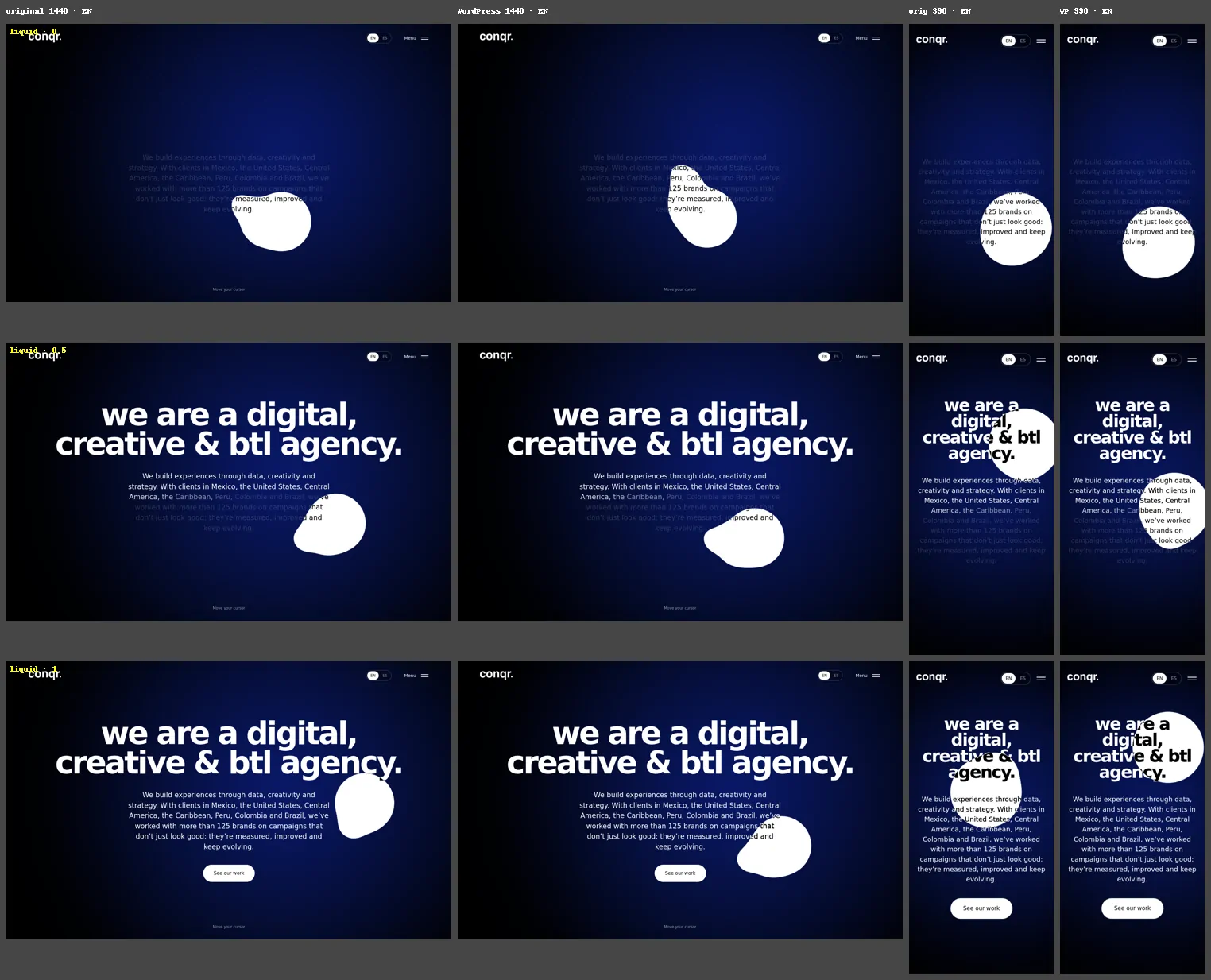
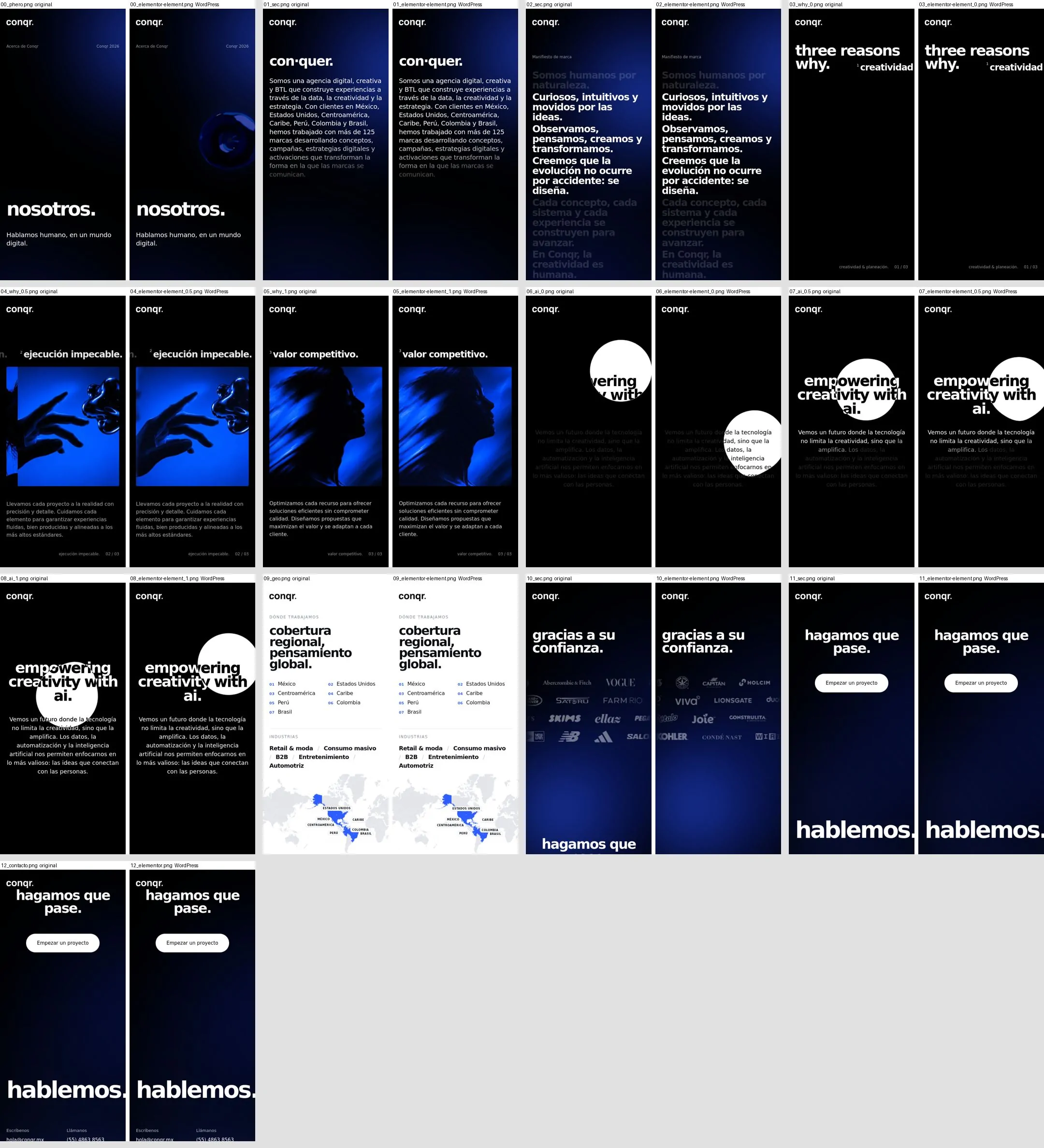
QA comparison: original concept on the left, WordPress on the right

02 · HTML concept

A beautiful, sealed prototype: one logic file, a 57 KB stylesheet and its media packed as base64. It looked like the site Conqr wanted to be, but nobody on the team could change a comma.

Its real weight could not be measured: its base64 data files never arrived. The media that did arrive add up to ~1 MB of base64, before counting the video.

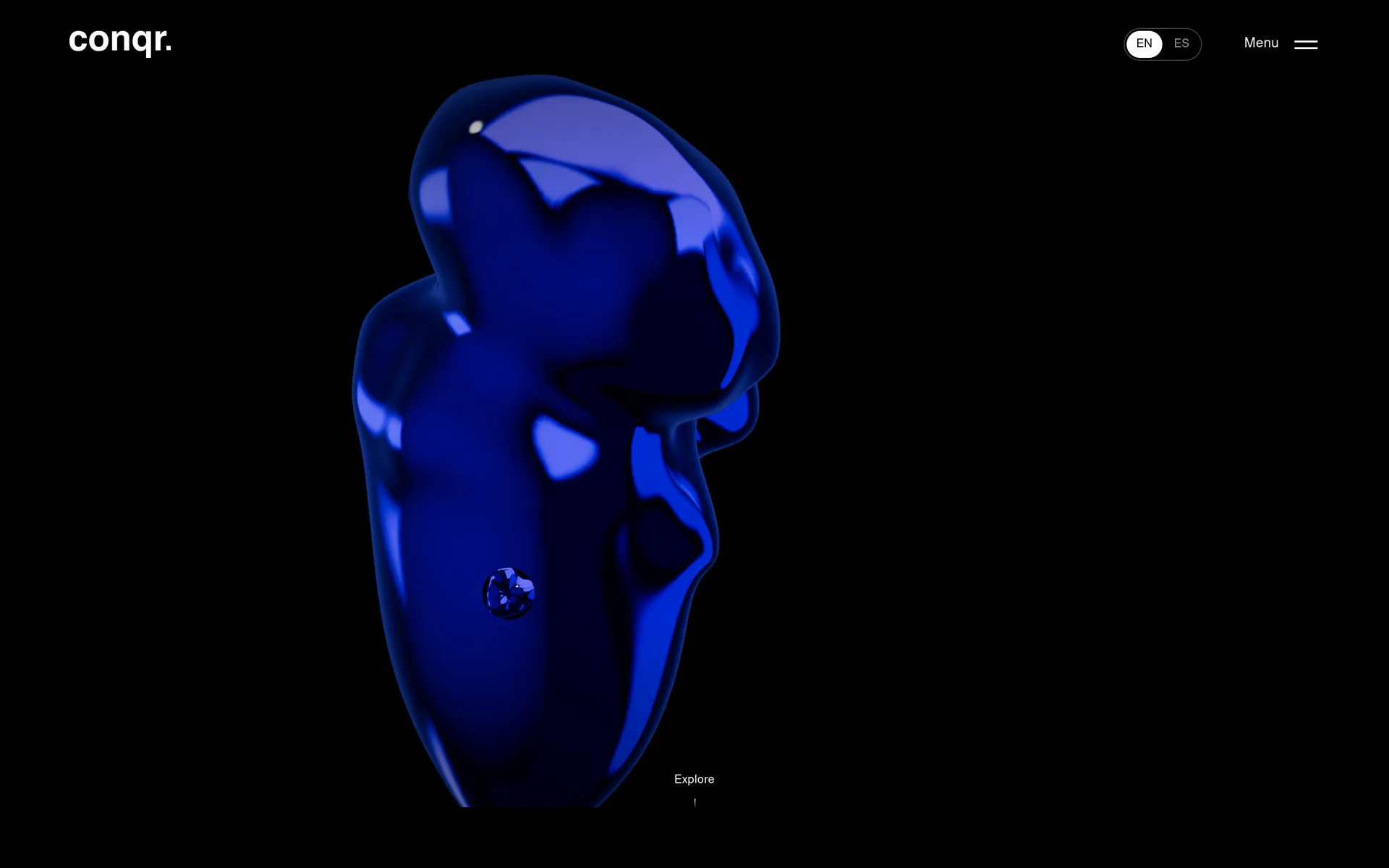
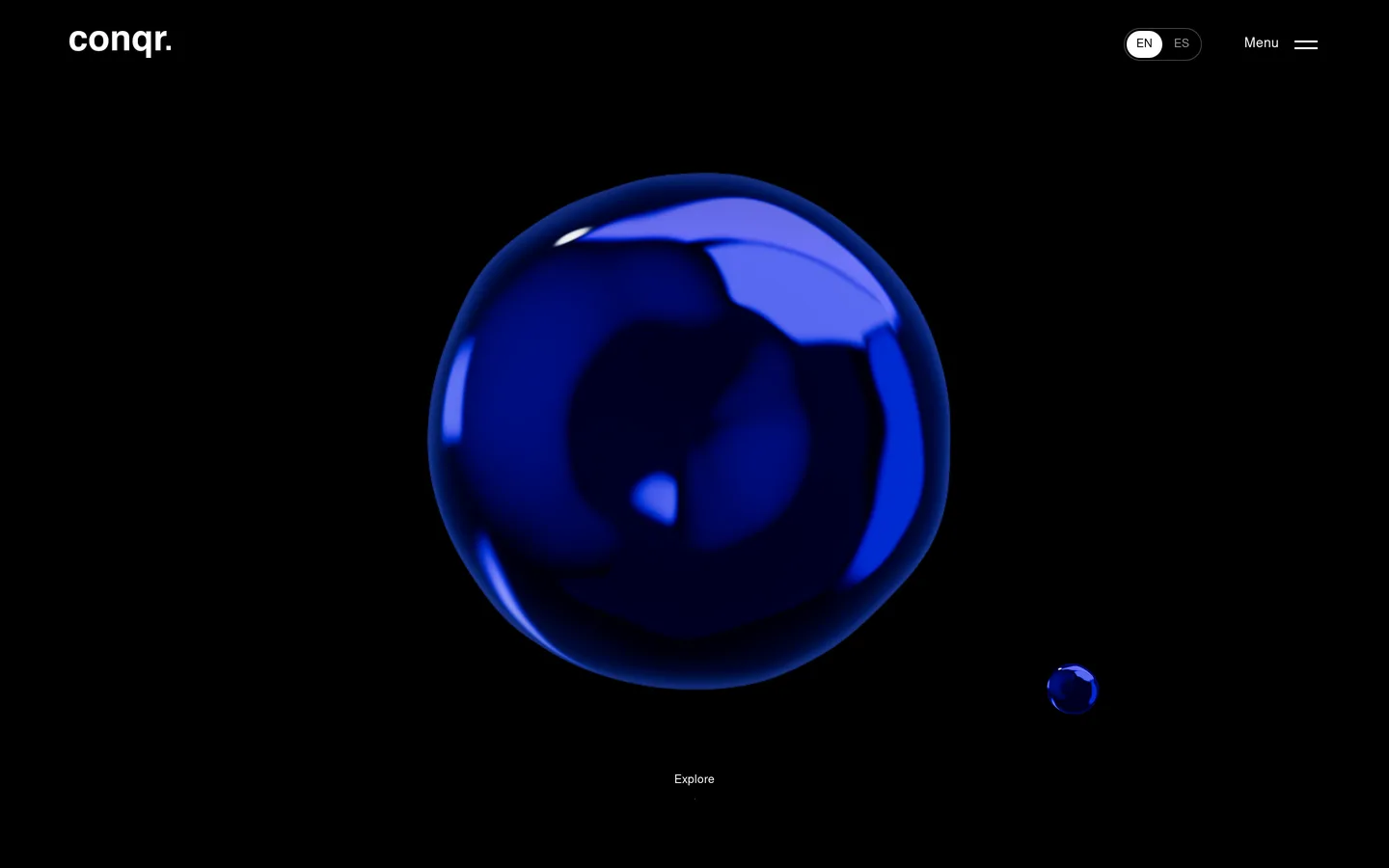
First screen of the conqr.mx Home in production

03 · Platform

WordPress + Elementor Pro + Polylang, with a custom 3D engine: bilingual, click-to-edit and live on conqr.mx.

151 URLs in two languages, all returning 200 and indexable.

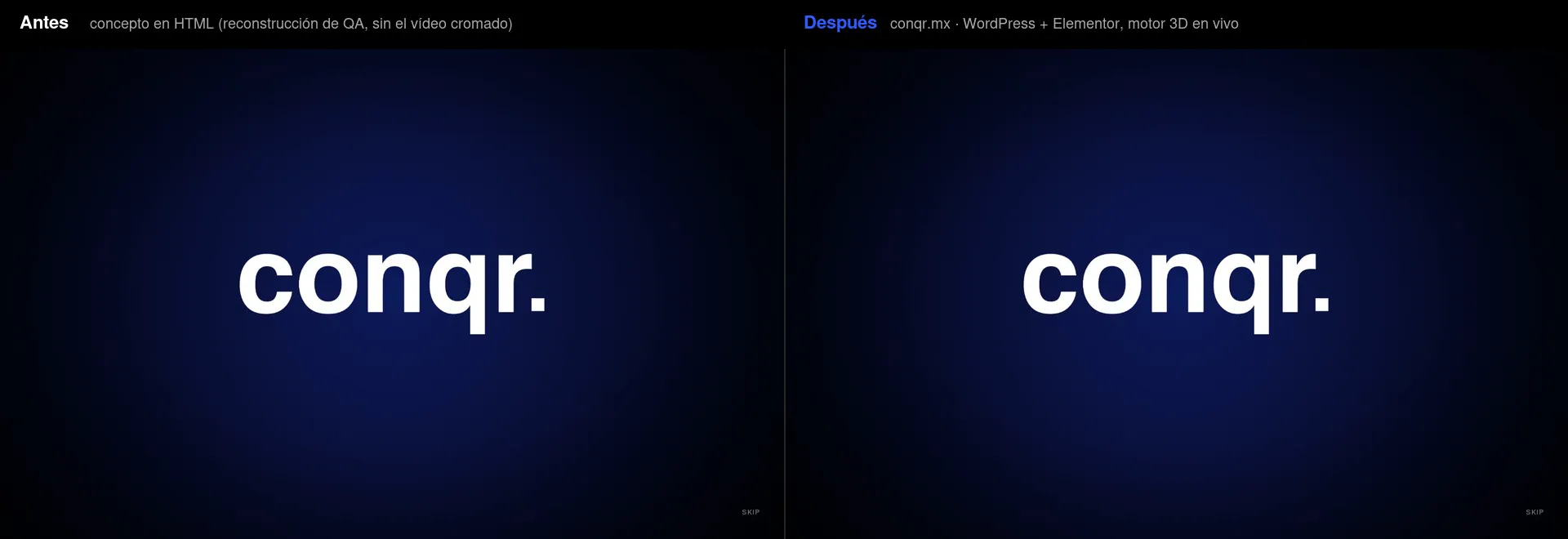
The same journey, before and after

Intro → hero → manifesto. On the left, the HTML concept (in the reconstruction used for QA, without the chrome video that never arrived); on the right, conqr.mx.

"The original rules"

The project's first rule fits in one line: when in doubt, the original rules. This was not about "looking similar": every section was measured against the original, served locally, at 1440×900 and 390×844, in English and Spanish.

  • Header: ∆ 0.00 px across 14 elements × 8 combinations.
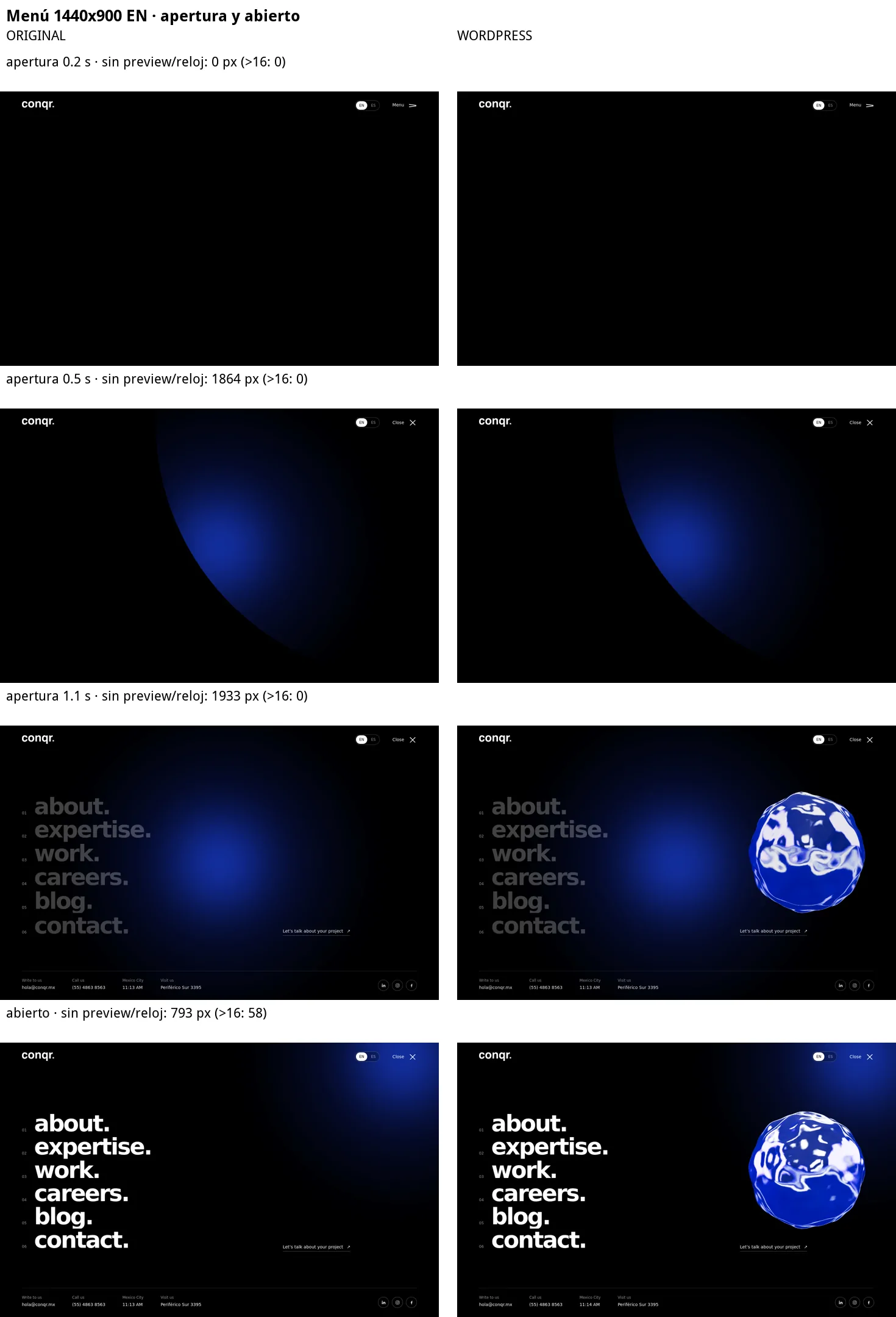
  • Open menu: ∆ 0.00 px across 40 elements × 4 combinations, with identical computed styles.
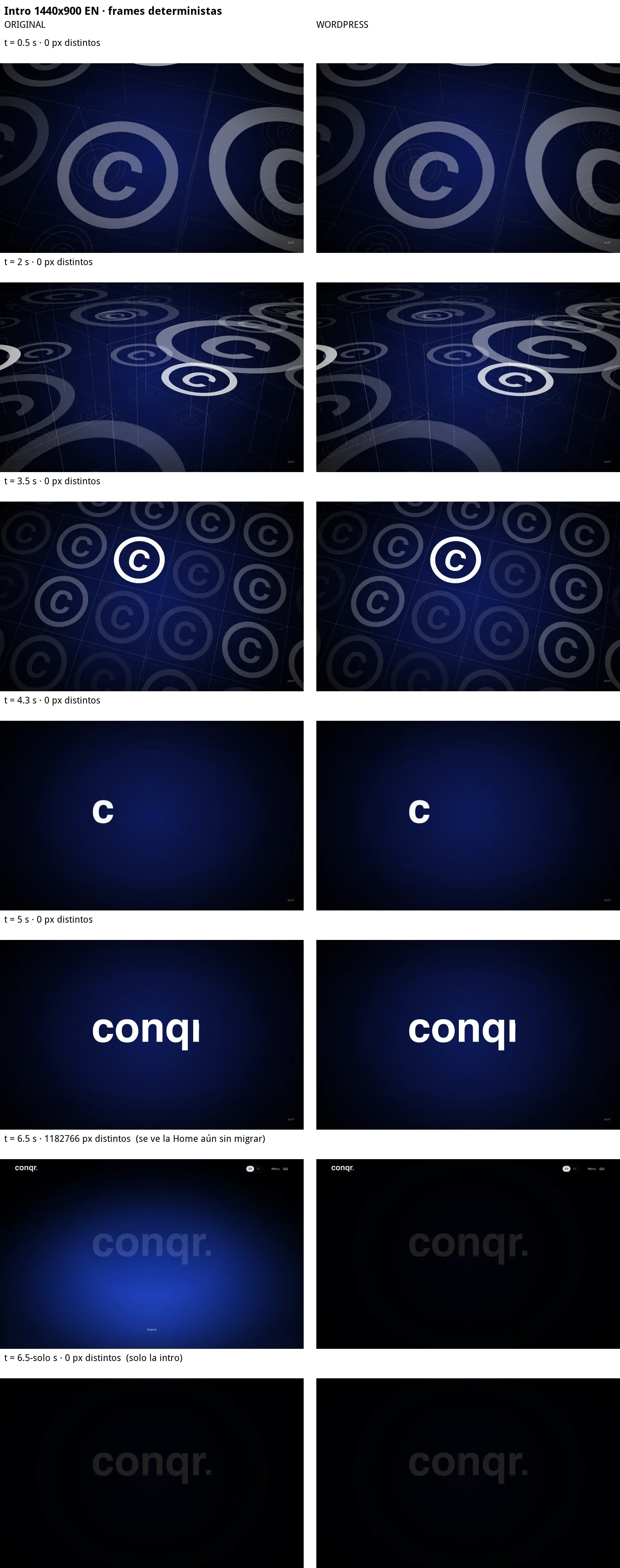
  • Home intro: with the clock frozen and randomness seeded, 0 differing pixels in the frames at 0.5, 2, 3.5, 4.3 and 5 s.
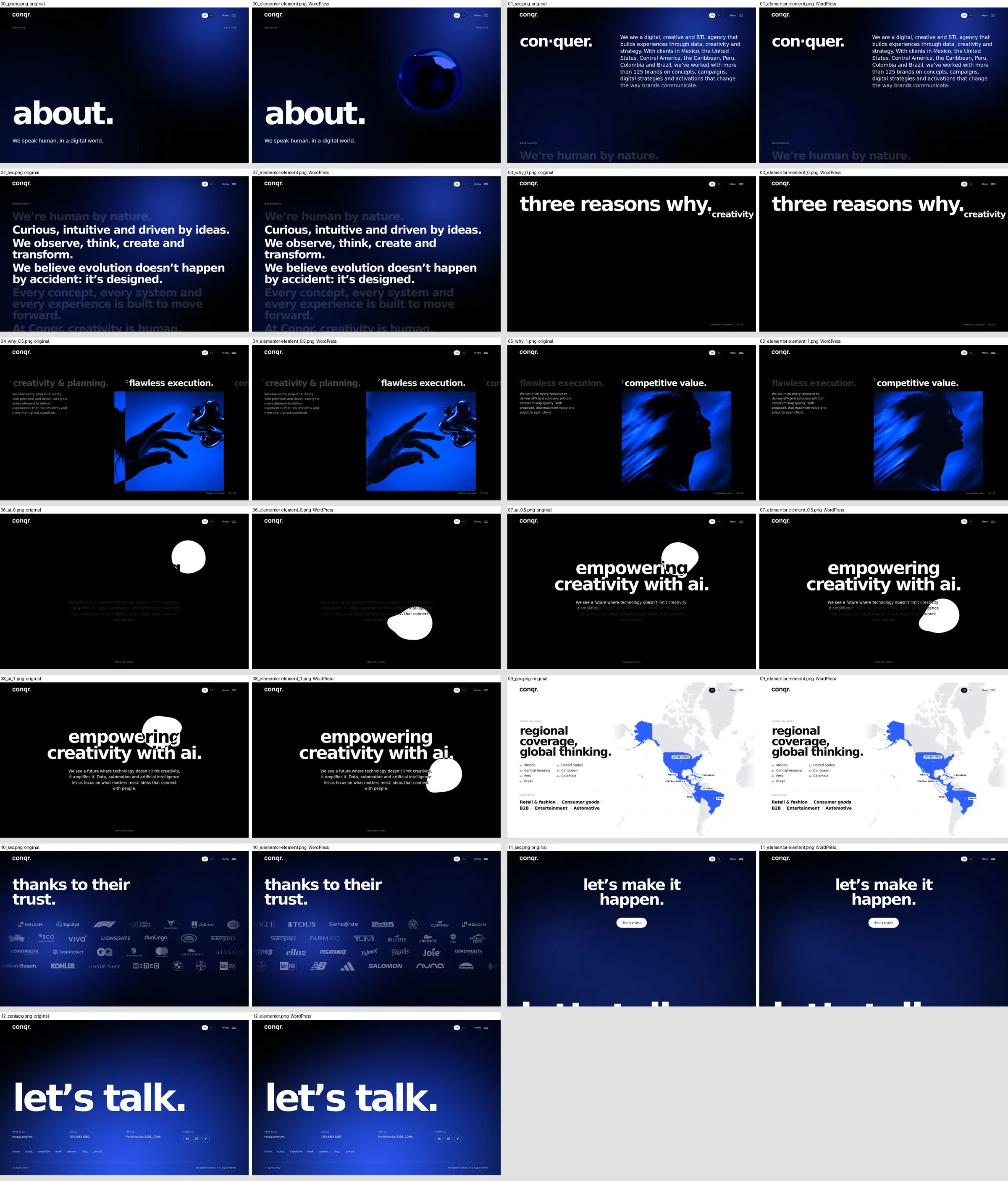
  • Hero and manifesto: ∆ 0.00 px and the same pin length (4,140 px on desktop, 3,882 on mobile).

Measuring this closely also exposed bugs in the original itself: a footer that overflowed by 7 px on Spanish mobile, and a pin that grew on mobile because the page spilled sideways. Those bugs were not copied. The original rules, but it gets measured.

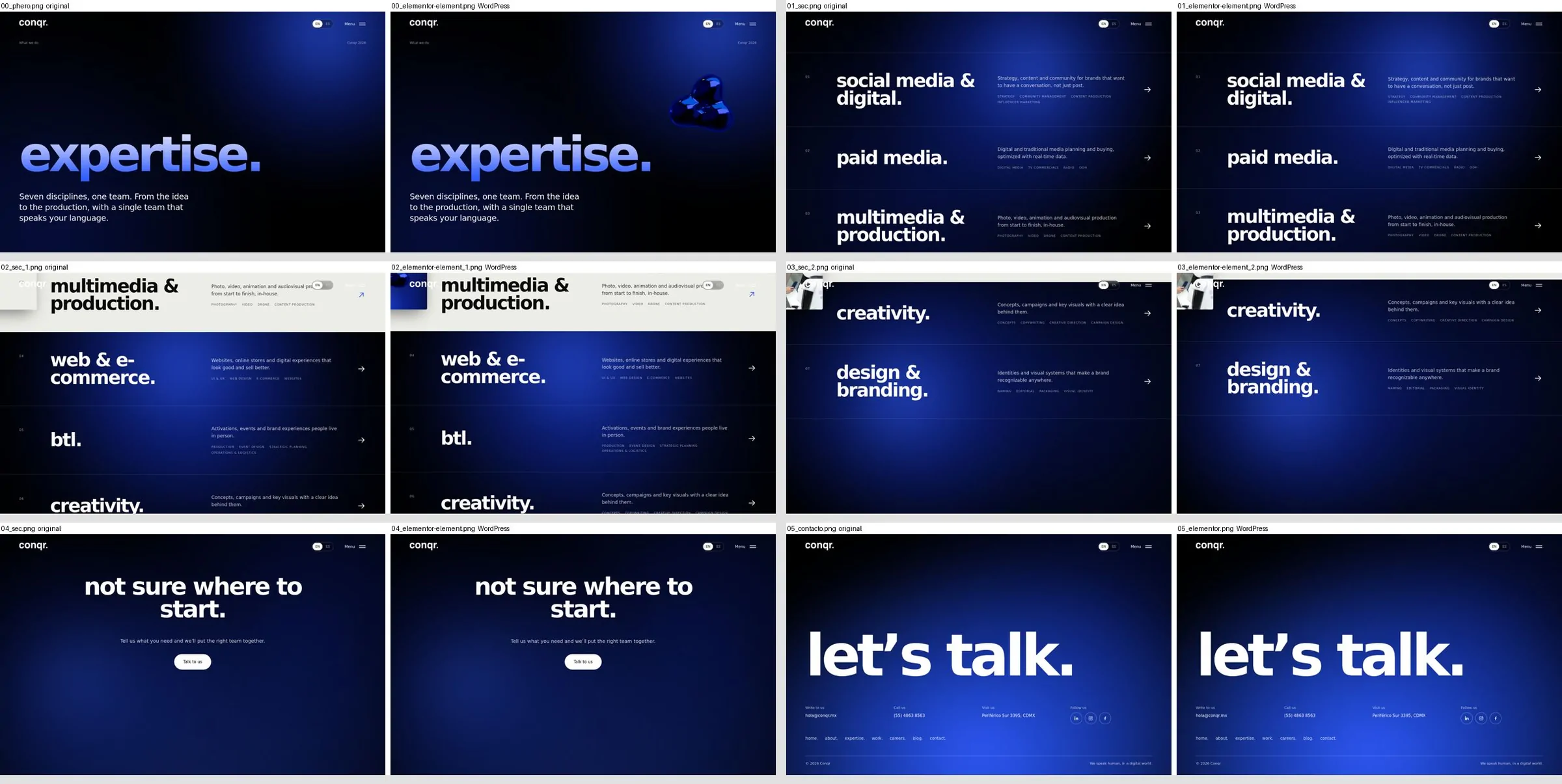
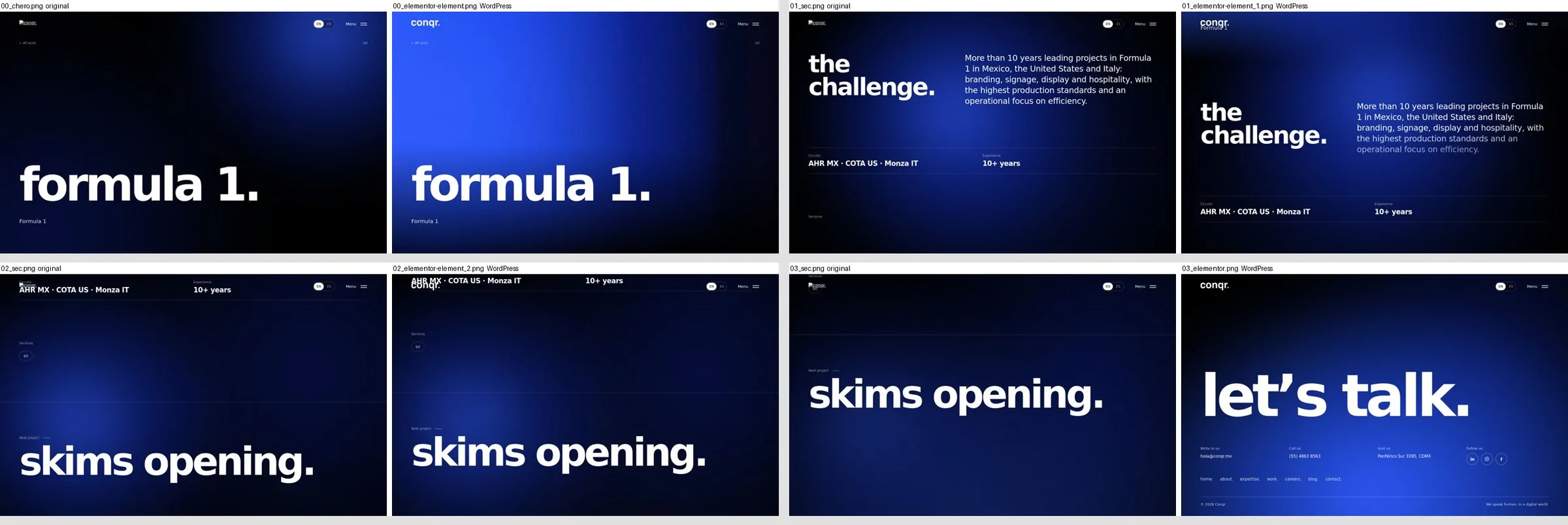
The 8 QA sheets

Original on the left, WordPress on the right. Tap one to see it in full.

The 3D engine a video turned into a living object

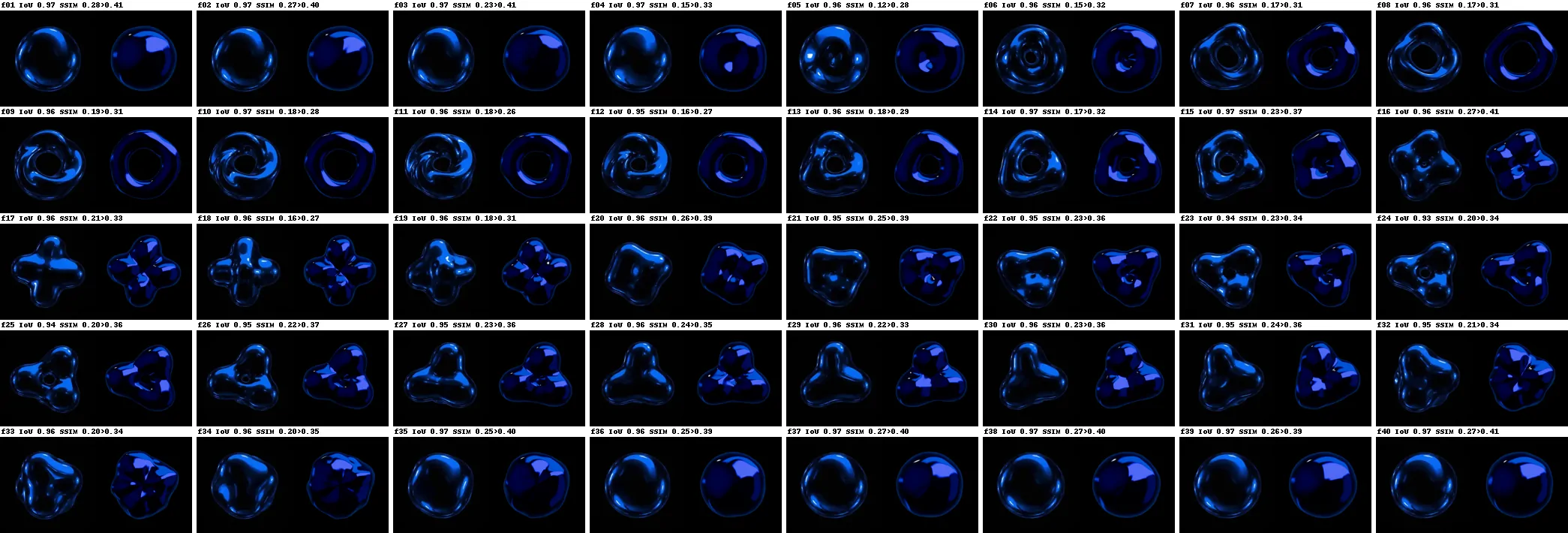
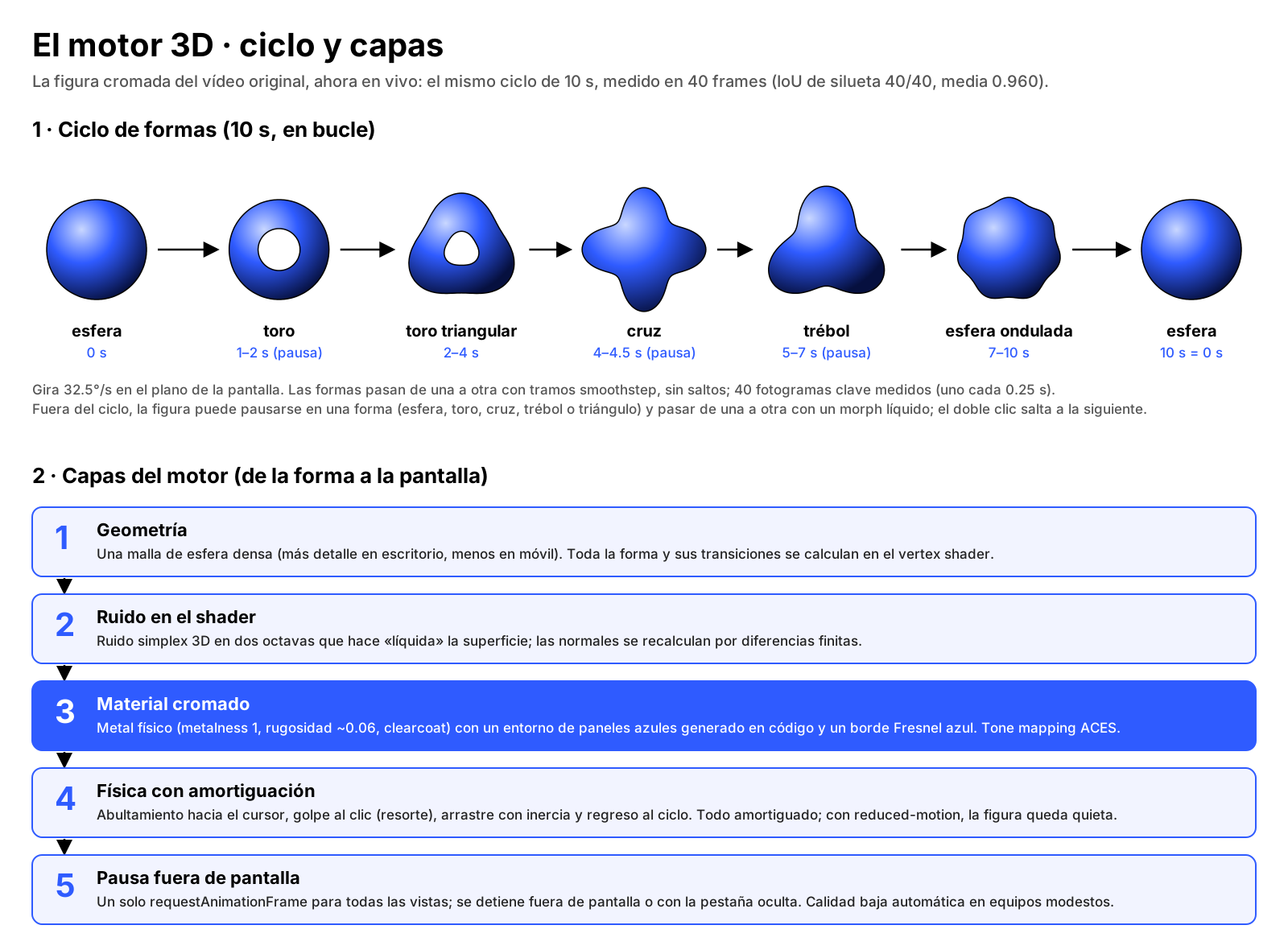
The breathing, shape-shifting chrome figure used to be a video. Now it is a living object: it bulges toward the cursor, bounces when touched, spins when dragged, jumps to its next shape on double click and follows your finger on an iPhone. It keeps the original video's cycle, every 10 seconds: sphere, torus, triangular torus, cross, clover, wavy sphere and back to the sphere.

Under the hood
3D engine diagram: the 10-second shape cycle and the layers, from geometry and shader noise to the chrome material and the copy into each view.

One shared renderer

A single WebGLRenderer for the whole page. Each figure is drawn into its own viewport and copied into its own 2D canvas: one WebGL context no matter how many figures there are, and each keeps its place in the DOM.

Shaders with noise

The shape lives in the vertex shader, with two-octave simplex noise that makes the surface "liquid".

Material

Physical metal lit by a blue-panel environment generated in code, with no HDR download.

Damped physics

Bulging toward the cursor, bouncing on click and spinning on drag, with damped physics.

Measure before you imitate

The cycle was measured on 40 real frames of the video: silhouette IoU 40/40 with the QA goal at ≥ 0.90, mean 0.960 and minimum 0.932 (before tuning: 29/40, mean 0.919).

Performance

JavaScript per frame: 1.75 ms on desktop, 8.62 ms with a 4× slower CPU and 3.77 ms on an emulated phone with a 4× CPU. All within the 16.7 ms of a 60 fps frame. The test server's fps do not count: it has no GPU and draws WebGL in software.

Fallback without WebGL

A single requestAnimationFrame that stops off-screen or in a hidden tab, automatic low quality on modest devices and, without WebGL, a still image rendered by the engine itself.

Experiences you can feel

Home intro: cubes with the C → "conqr." → hero with the 3D figure.
Hero zoom: the figure grows with scroll until it fills the screen and opens the manifesto.
con·quer: the word with live chrome inside the letters and the chrome cursor on top.
Expertise carousel 01→08 with smooth scroll and the exit to the footer.
Page curtain: it shows the destination title from start to finish.
Menu with a per-section 3D preview and the EN → ES switch.
About: three reasons why in 2.5D scenes and the map with arcs from Mexico City.
Mobile 390×844: the figure follows your finger with drag, throw and double tap.

Editable by anyone

A beautiful site nobody can touch ages in weeks. The second rule was: whatever can live in Elementor lives in Elementor. Every piece of the original was sorted into three types:

NATIVE

Plain Elementor.

NATIVE + BEHAVIOR

Regular containers with a cq-* class that adds motion. For example, cq-hscroll turns a row of containers into the pinned horizontal carousel.

WIDGET

Only what Elementor cannot do, always with its controls in the panel.

23custom widgets
14behaviors
162sections reviewed
0left uneditable

136 sections edit with a direct click and 26 from the WordPress editor or automatically. The team got a 6-page guide with real screenshots.

Two languages, one platform

English is the base, at /, and Spanish lives at /es/, with its own slugs: /about/ ↔ /es/nosotros/ and /work/ ↔ /es/portafolio/. Free Polylang cannot share a slug across languages; the custom plugin handles it with filters and rewrite rules, and sends a 301 when a URL is opened under the wrong language. The EN/ES button navigates to the translation and returns to the same scroll position, without replaying the intro.

151URLs in the sitemap
73in English
78in Spanish

The invisible engineering what nobody sees, but everybody feels

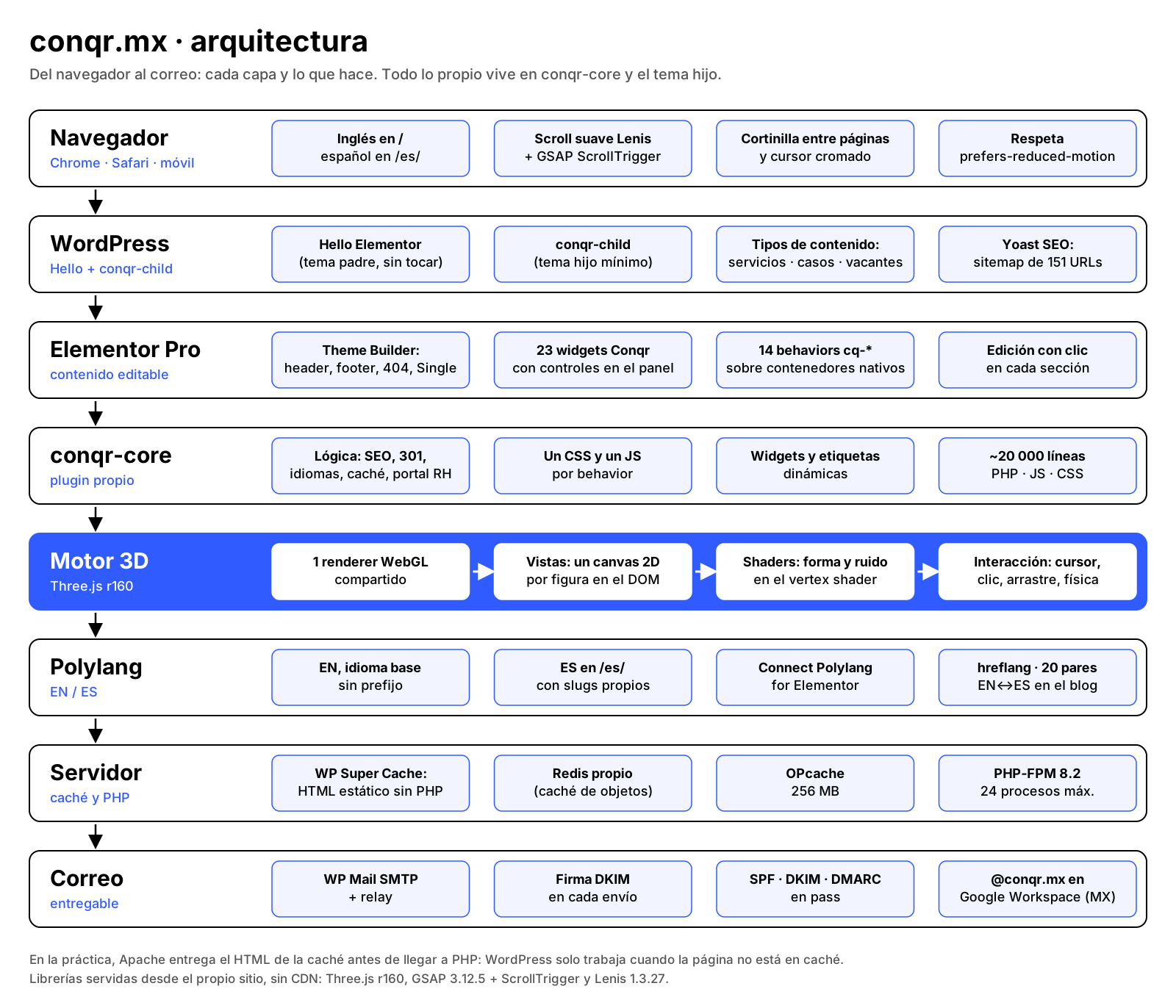
conqr.mx architecture diagram: browser, WordPress with Elementor Pro and the custom plugin, Polylang, server with caching and PHP, and email with SPF, DKIM and DMARC.

Server and cache

PHP-FPM, a 256 MB OPcache, a private Redis and a page cache where Apache serves the HTML without touching PHP. The Home went from 3.99 to 766 requests per second with 10 users.

Email

Mail goes out signed with DKIM, with SPF, DKIM and DMARC passing. It is only sent from a domain that passes all three.

SEO

A unique meta description per URL, Open Graph, structured data, hreflang and a Yoast sitemap that kept every previous title.

Forms

Forms with Jotform's official embed on Contact, careers and the internal portal.

Internal portal

4 internal noindex pages, outside the sitemap and the cache.

301s from Wix

341 redirects from the old Wix URLs, with the inventory rebuilt from the Wayback Machine.

Timeline October 22 → 30, 2026

9 calendar days and 6 working days. There are no log entries on the 24th and 25th; the 27th ran into the early hours of the 28th.

  1. 01

    Reconnaissance

    Oct 22

    Inventory of every section of the original and the NATIVE / NATIVE + BEHAVIOR / WIDGET classification.

  2. 02

    Foundations

    Oct 22

    Child theme, Polylang, custom plugin, content types and content seeded in EN and ES.

  3. 03

    3D engine

    Oct 22 → 27

    The live figure replaces the video; on the 26th it was measured against 40 frames (IoU 40/40).

  4. 04

    Header, intro and menu

    Oct 22 → 23

    ∆ 0.00 px on header and menu; 0 differing pixels in the intro.

  5. 05

    Full Home

    Oct 26 → 27

    Hero, manifesto, con·quer, Expertise, footer, page curtain and chrome cursor.

  6. 06

    Inner pages

    Oct 27

    About, Expertise, Work, Careers, Blog, Contact and 404, from 01:00 to 01:50.

  7. 07

    Editable by anyone

    Oct 27 → 28

    162 sections reviewed, none left uneditable, and the team guide.

  8. 08

    Services and cases

    Oct 27 → 30

    Final URLs per language with 301s and the new SEO & GEO service (8 in total).

  9. 09

    About · 3D scenes

    Oct 29

    Three photos turned into layered scenes.

  10. 10

    Blog

    Oct 27 → 29

    20 linked EN↔ES pairs and 152 old URLs with 301s.

  11. 11

    Internal HR portal

    Oct 29

    4 internal noindex pages, outside the cache.

  12. 12

    Performance

    Oct 26 → 30

    PHP-FPM, OPcache, page cache and a private Redis: from 3.99 to 766 req/s.

  13. 13

    SEO

    Oct 27 → 30

    hreflang, unique meta descriptions, OG, JSON-LD and Yoast with 151 URLs.

  14. 14

    Launch on conqr.mx

    Oct 30, 00:24–00:40

    16 minutes, a 503 gate from 00:30 to 00:39 and 341 301 rules from Wix.

  15. 15

    Final polish

    Oct 30

    Smooth scroll, page curtain, safe SVG, adaptive favicon, social links and Yoast.

The 8 challenges problem, why, solution and rule

01 A base64 chrome video turned into a live 3D engine

+
-

Problem

The concept showed its chrome figure as a 10 s video embedded as base64, in the hero, inside the con·quer letters, in the menu, in the cursor and in inner heroes. And the rule was never to load the original's base64 files.

Why it happened

The concept was built as a self-contained prototype: the video was the fastest way to show the figure, but it could not be edited, weighed down the HTML and did not react to the user.

How it was solved

The video was replaced by a live 3D figure (Three.js r160, local). The cycle was measured on 40 real frames, one every 0.25 s: from 29/40 frames with IoU ≥ 0.90 (mean 0.919) to 40/40 (mean 0.960, minimum 0.932).

The rule it left

The original rules, but it gets measured: every likeness is validated with numbers against the reference, and nothing loads as base64.

Nuance. The QA goal was IoU ≥ 0.90. That all 40 frames also clear 0.93 follows from the minimum, but 0.93 was not the stated goal.

02 One shared WebGL renderer

+
-

Problem

The figure shows up at once in the cursor, the menu, the hero, floating elements, thumbnails and About scenes, and each appearance needs its own place in the DOM: above the menu, behind the letters with multiply, with masks and floating.

Why it happened

One WebGL canvas per view multiplies contexts, and browsers limit how many active contexts a page can have. A fixed full-screen canvas forces everything above or below the content.

How it was solved

One WebGLRenderer off the DOM: each view is drawn into its own viewport and copied with drawImage into its 2D canvas. A single requestAnimationFrame, paused off-screen or in a hidden tab, and a still image when there is no WebGL.

The rule it left

Widgets consume the engine instead of duplicating it: one API and one context.

Nuance. The log justifies the decision with the single context and layer order; it does not cite a specific context limit.

03 Everything editable in Elementor without losing the animations

+
-

Problem

The team had to change text, images, colors and order without touching code, and the site had to keep scroll pins, GSAP timelines, a magnetic cursor, liquid effects and the 3D figure.

Why it happened

Elementor does not natively do canvas, WebGL, pinned scroll or liquid effects, and turning every section into a closed widget kills click-to-edit.

How it was solved

Sort every piece into NATIVE, NATIVE + BEHAVIOR or WIDGET: 23 widgets and 14 behaviors. 162 sections reviewed, 136 with a direct click, 26 from the WordPress editor or automatic, and 0 left uneditable.

The rule it left

Whatever can live in Elementor lives in Elementor. What cannot is a widget with controls, never loose code.

04 WP-CLI as root took staging down for about 5 minutes

+
-

Problem

On October 26, when page caching was switched on, the staging site returned a 500 error for about 5 minutes.

Why it happened

With PHP-FPM, PHP runs as the account user. WP-CLI ran as root and the plugin rewrote the config with root as owner; PHP-FPM could no longer read it.

How it was solved

The correct owner and permissions were restored. It happened on staging, not in production.

The rule it left

WP-CLI always as the account user, never as root. It is the first rule in the production site's document.

05 A launch with no window of a broken site

+
-

Problem

The move to conqr.mx had to happen without anyone seeing a half-built site, with the domain's DNS already pointing at the new server and the Wix site no longer answering.

Why it happened

There was no old site to keep running in parallel: the domain was already on the new server.

How it was solved

Full backup, copy and URL rewrite, caching rebuilt, and a 503 "coming soon" gate with Retry-After and noindex from 00:30 to 00:39. It opened with the client's OK, and by 00:54 the 341 301 rules from Wix were live.

The rule it left

Publish behind a gate and verify from outside before opening. Every old URL has a destination.

Nuance. "Zero downtime" holds as "no window of a broken site": for 9 minutes visitors saw a 503 "coming soon", which is the right thing for search engines.

06 DNS with no MX or SPF: email went down

+
-

Problem

At launch, conqr.mx's DNS ended up with no MX or SPF records, and the Google Workspace inboxes stopped receiving.

Why it happened

Moving the DNS to the new server dropped the mail records, and the server had the old DNS cached, which hid the problem.

How it was solved

It was flagged on the spot and the client restored MX, SPF, DKIM and DMARC around 02:00. A delivery test at 01:59 completed.

The rule it left

Check MX against a public DNS, never the local resolver, and only send from a domain with SPF, DKIM and DMARC passing.

Nuance. No email landed in spam because of DMARC: the risk and the rule that prevents it were documented. The actual "spam" was the relay rejecting 3 reports for their content; the text was rewritten and it went through.

07 Carousel panel 8 and jumpy scrolling

+
-

Problem

In the Expertise carousel, the last panel stayed off-position, the background light went dark on the way back, and the exit to the footer felt like a bump.

Why it happened

The pin ended exactly where the track ended, the footer script stored the opacity "from page load", and the wheel moved the scroll in jumps.

How it was solved

A 30% resting stretch at the end of the pin, the light keeps the opacity it has when reaching the footer, and Lenis smooth scroll synced with ScrollTrigger. No Lenis with reduced motion or in the editor.

The rule it left

No scroll-linked animation stores "page load" state.

08 A blocked SVG favicon and the adaptive version

+
-

Problem

The SVG logo could not be uploaded to the Media Library and, later, the black logo nearly vanished on dark tabs.

Why it happened

WordPress does not allow SVG by default, and a single-color icon cannot look right on both light and dark tabs.

How it was solved

SVG with sanitizing on upload, for administrators only. The final favicon is adaptive: black on light tabs, white on dark ones.

The rule it left

SVG only with sanitizing and only for administrators; the site icon is printed from a single place in the code.

Nuance. The test WebKit does not switch the SVG to white in dark mode (Chromium does). It still needs checking in real Safari.

How I work what sets me apart

  1. 1

    Planning with Claude

    Phases, rules and what the client decides, before touching the server.

  2. 2

    Short prompts per phase

    At the end of each one: stop, report, wait.

  3. 3

    Execution with Claude Code

    On the server, with WP-CLI as the account user, scripts that can be re-run and nothing in WordPress or Elementor core.

  4. 4

    A backup before every change

    135 backup points across 6 working days.

  5. 5

    Measured QA

    Chrome, Safari and mobile, in English and Spanish. Measurements, not impressions.

  6. 6

    A report per step

    122 work reports in 9 days: what was done, what changed, the backup and what is pending.

  7. 7

    The project document as memory

    Rules, decisions and exact commands, so each session starts where the last one ended.

AI speeds things up; I direct, decide and verify. The AI wrote a lot of code. The judgment, the rules and the decisions about what not to do were human.

Results before and after

3.99766req/s

Requests per second on the Home with 10 users

2.6 s20 ms

Home p95 response time

0.940

CLS (layout shift) versus the concept

91100

Home SEO score in Lighthouse

341301 redirects from Wix
~20,000lines of custom code
9project days
16minutes to launch

Lighthouse in production, median of 3 runs: SEO 100 and CLS 0 on all five pages measured. Mobile performance lands between 54 and 66 because the test server has no GPU and draws the 3D figure on the CPU; the concept scores higher there because it draws no figure at all. The concept's numbers come from the reconstruction used for QA.

What I learned

  • Measuring is how you respect a design. "It looks the same" is not a criterion; "∆ 0.00 px" is.
  • Architecture beats optimization. One WebGL context solved performance, layering and browser limits in a single move.
  • Editable is not an extra. It decides whether a site is still alive six months from now.
  • AI speeds you up; method keeps you safe. Backups, reports and a living document turned speed into something you can trust.
  • Launches fail on what isn't code. The site went out on time; what broke was the mail DNS.

Credits

Visual design: Conqr design team.

Development, 3D engine, WordPress architecture, infrastructure, migration and launch: Samuel Torres, with Claude and Claude Code as AI copilots.

Want something like this on your site? Book 20 minutes and we'll review it together.

Book 20 min

Professional contact:

Mexico City

Mexico City, Mexico Available immediately

Availability

Remote and on-site projects MXN · USD

© 2026 Eng. Samuel Torres. Applied Engineering.

Versión en español